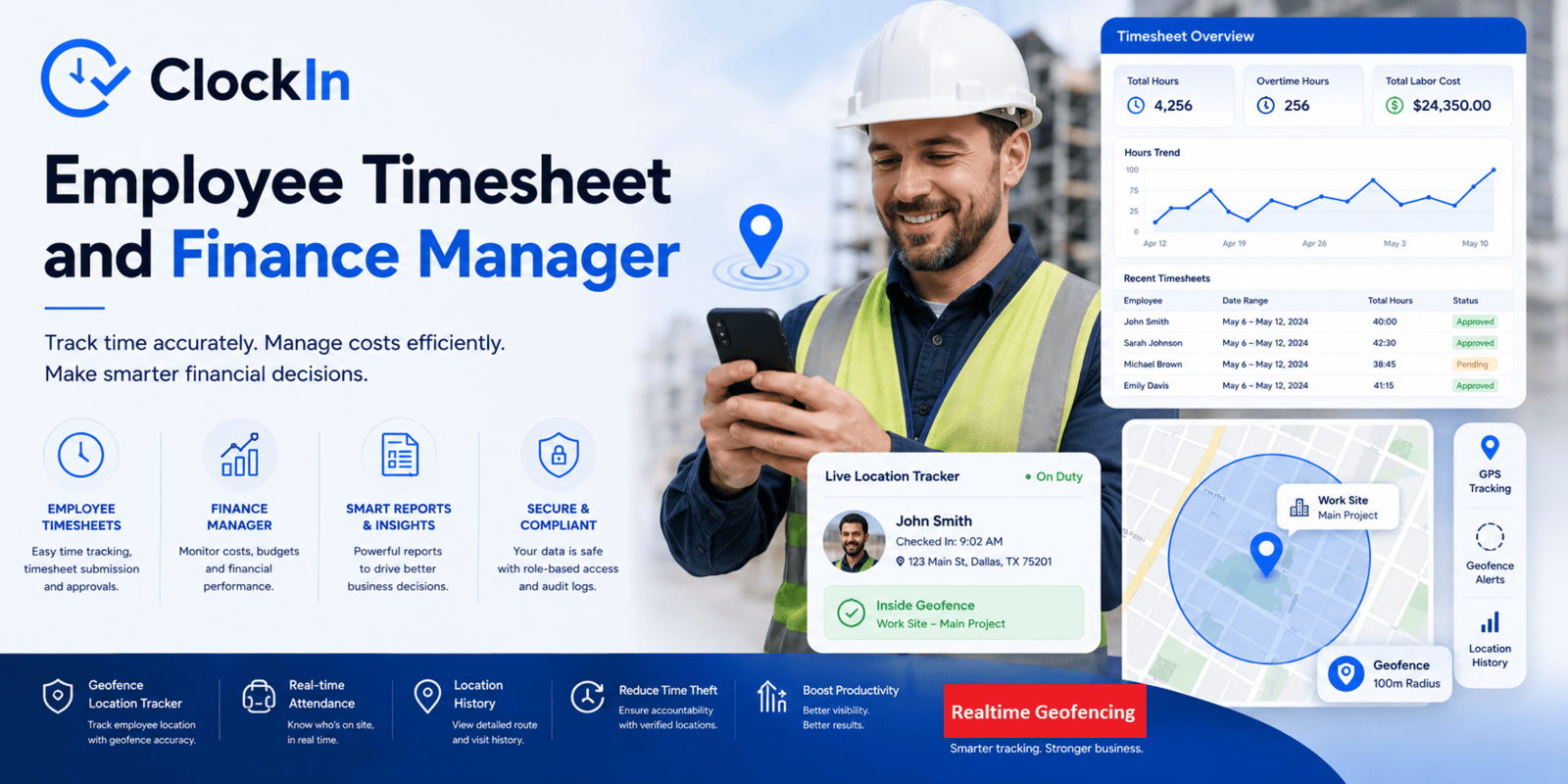
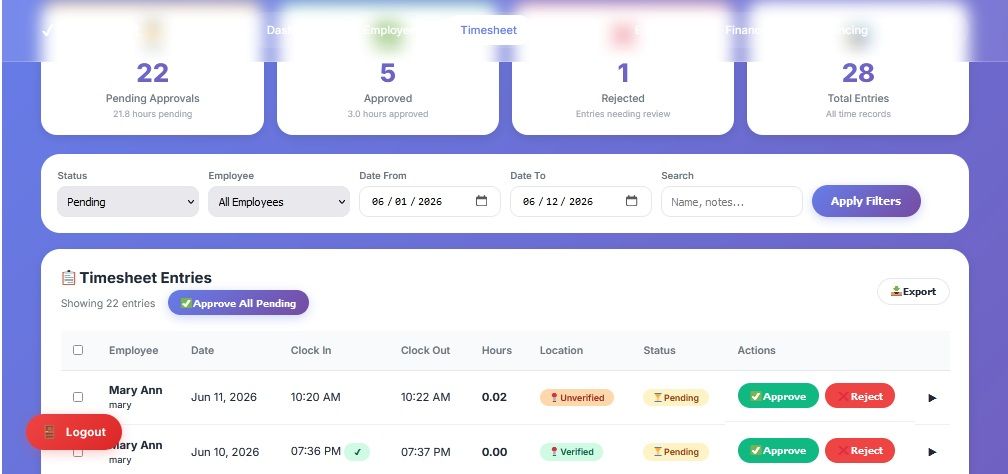
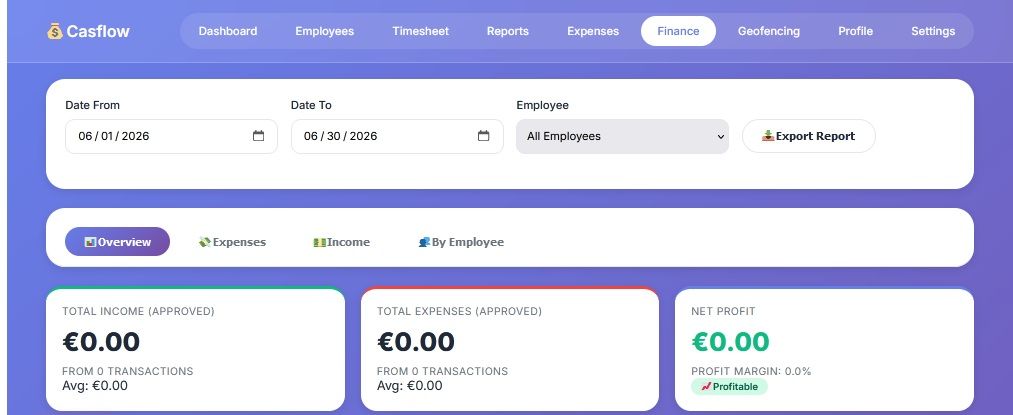
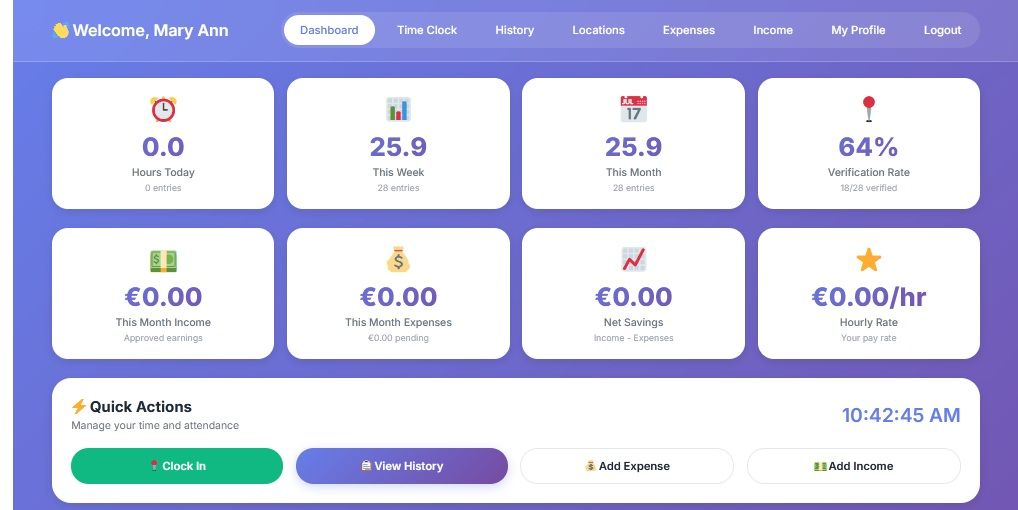
ClockIn is a complete workforce management solution that combines time tracking, location verification, expense management, leave management, and financial reporting into a single, user-friendly platform. It's secure, scalable, and designed to work on any device with a modern browser.
Perfect for businesses wanting to track employee hours, manage expenses, and maintain location accountability - all from one centralized system.
Designed with modern UI for the best user experience, while maintaining secure and serene coding pattern against all vulnerabilities including XSS and CSRF. If there be any need, request further customization and we'll deliver within 2-3 days.
Demo: https://true700.com.ng/eclockin/login.php
Admin: admin / Admin321@
Employee: Create account (signup)
For Employees:
The 2 most important parts:
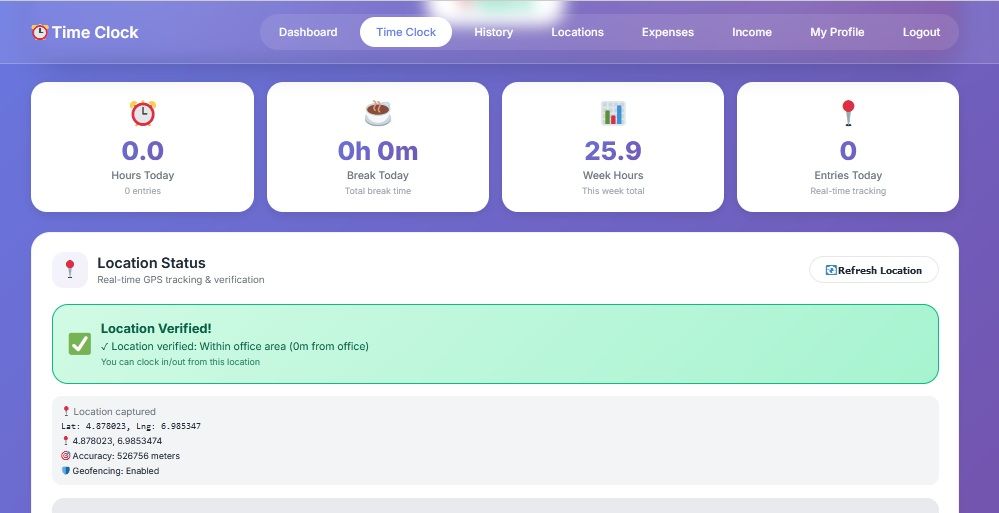
1. Time Clock: You log in and hit the 'Clock In' button (and it takes you to the clock section).
First, ensure you are connected to the internet, and enabled location service on your device.
In this section the system scans your location coordinates and distance. It also checks if your location is within the approved office space (approved office locations can be set by admin via the admin panel).
Also in this section, the system checks whether you're on today's timetable schedule, otherwise it's an 'Off Day', you can't clock in.
Here the system also confirms your earliest resumption time according to timetable schedules, and ensures you don't clock in before the earliest time. And that's it.
Summary prerequisites here:
. Enable device location service
. Your location verified
. Your name on timetable
. Within scheduled work hours
. You can clock in
2. My Timetable (accessible through the dashboard):
This is where
you view your weekly schedules as assigned by the admin panel. This is a
recurring event until admin decides to change it.
===========================
Further capabilities include:
3. Leave - Apply for leave and track history
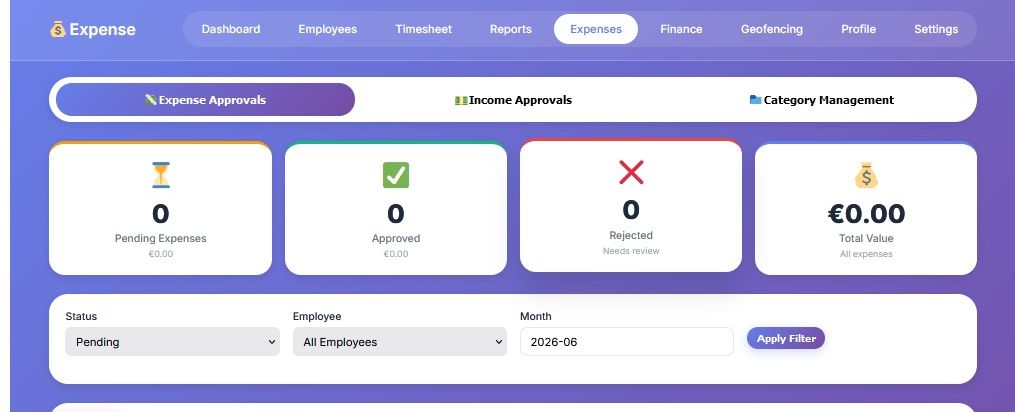
4. Expenses - Submit expense claims, details with receipt (optional) for admin verification and approval/rejection.
5. Income - Submit income record to admin for confirmation and approval.
6. History - track your timesheet entries.
7. Location - view your location verification history and clockIn logs and geofence violations.
8. Profile - Manage your personal info: Dp, bio, passwords and others.
Employee can:
- Clock In/Out with GPS location verification and geofencing
- Track Work Hours with break time logging and session duration
- Submit Expense Claims with receipt uploads and category selection
- Record Income (salary, bonuses, freelance work)
- Request Leave (sick, vacation, personal) with date range selection
- View History of all timesheet entries, expenses, and leave requests
- Manage Profile with avatar upload and password change
Administrators
- Employee Management - Add, edit, delete employees with hourly rates
- Timesheet Approval - Review and approve/reject timesheet entries
- Expense Approval - Manage expense claims with receipt verification
- Leave Approval - Process leave requests with bulk actions
- Financial Reports - View income vs expense trends and analytics
- Geofencing Setup - Configure office locations and verification rules
- System Settings - Currency, timezone, email, security configuration
- User Management - Monitor all employee activities
Location & Geofencing
- GPS-based clock in/out verification
- Office radius boundaries (customizable per location)
- Remote work allowances
- Location history with maps
- Geofence violation logging
Admin Geofencing Management
- Multiple office locations
- Customizable radius per location
- Enable/disable geofencing
- Allow remote clock in (with warning)
- Require location for clock out
- Employee allowed locations (remote work)
- Geofence violation logs
- Location history for employees
Financial Management
- Expense categories (Food, Transport, Utilities, etc.)
- Income categories (Salary, Bonus, Commission, etc.)
- Receipt upload support (JPG, PNG, PDF)
- Multi-currency support with exchange rates
- Budget tracking with utilization percentage
Security
- Role-based access (Admin/Employee)
- Password hashing (bcrypt)
- Two-Factor Authentication (2FA)
- Login attempt limiting (5 attempts)
- Session timeout management
- CSRF and XSS protection
Reporting & Analytics
- Interactive charts (Chart.js integration)
- Daily/Weekly/Monthly summaries
- Expense by category analysis
- Income by category analysis
- CSV/PDF export capabilities
- Employee performance metrics
Leave Management
- Annual leave tracking (20 days default)
- Leave types: Sick, Vacation, Personal, Other
- Overlap detection to prevent conflicts
- Leave balance calculation
- Email notifications (optional)
Frontend
- Mobile-first responsive design - Works on all devices
- Modern UI - Gradient backgrounds, cards, animations
- Google Maps Integration - Location visualization
- Real-time clock display - Live updates
- Chart.js - Interactive data visualization
Backend
- PHP 7.4+ with PDO for database security
- MySQL/MariaDB database with 17+ optimized tables
- Prepared statements - SQL injection prevention
- Session-based authentication with timeout
- File upload handling with validation
Login/Register Features
- Secure login with username/email
- Password hashing (bcrypt)
- Session management with timeout
- Registration with validation
- Role-based access (Admin/Employee)
- "Remember Me" functionality
- Login attempt tracking (5 attempts limit)
- Forgot password with email reset
- Password reset with token expiration (1 hour)
User Profiles
- Profile management with avatar upload
- Personal information editing (name, email, phone, address)
- Password change with strength meter
- Session information display
- Activity timeline for users
- Profile statistics (hours, earnings, expenses)
Clock In/Out System
- Clock in with timestamp
- Clock out with timestamp
- Break time tracking (0-120 minutes)
- Automatic total hours calculation
- Session duration tracking
- Work notes for each session
- Real-time clock display
- Timezone support (configurable from database)
- Multiple timezone support (Africa/Lagos, America/New_York, etc.)
Product Discussion
0 messagesNo comments yet
Be the first to start a discussion or ask a question!
Only logged-in users can join the discussion
Login to CommentNo changelog available yet.
No reviews yet. Be the first to review after purchasing!